01
Set the interval
Choose how much time can pass between confirmations. Pick the alarm sound, volume and how it builds.
 Hypnavia
MEDITATION · HYPNAGOGIA · AWARENESS
Tap the screen to confirm you are still alert. When you stop responding, Hypnavia sounds an alarm. You choose the interval, the sound and how its volume builds.
Coming to Android & iOS · Free at launch
01 / A SIMPLE MECHANISM
Hypnavia responds to your actions. It does not detect sleep stages — it counts the time since your last confirmation.
Choose how much time can pass between confirmations. Pick the alarm sound, volume and how it builds.
Tap the screen to restart the countdown. If time runs out, your alarm plays. Your next response silences it.
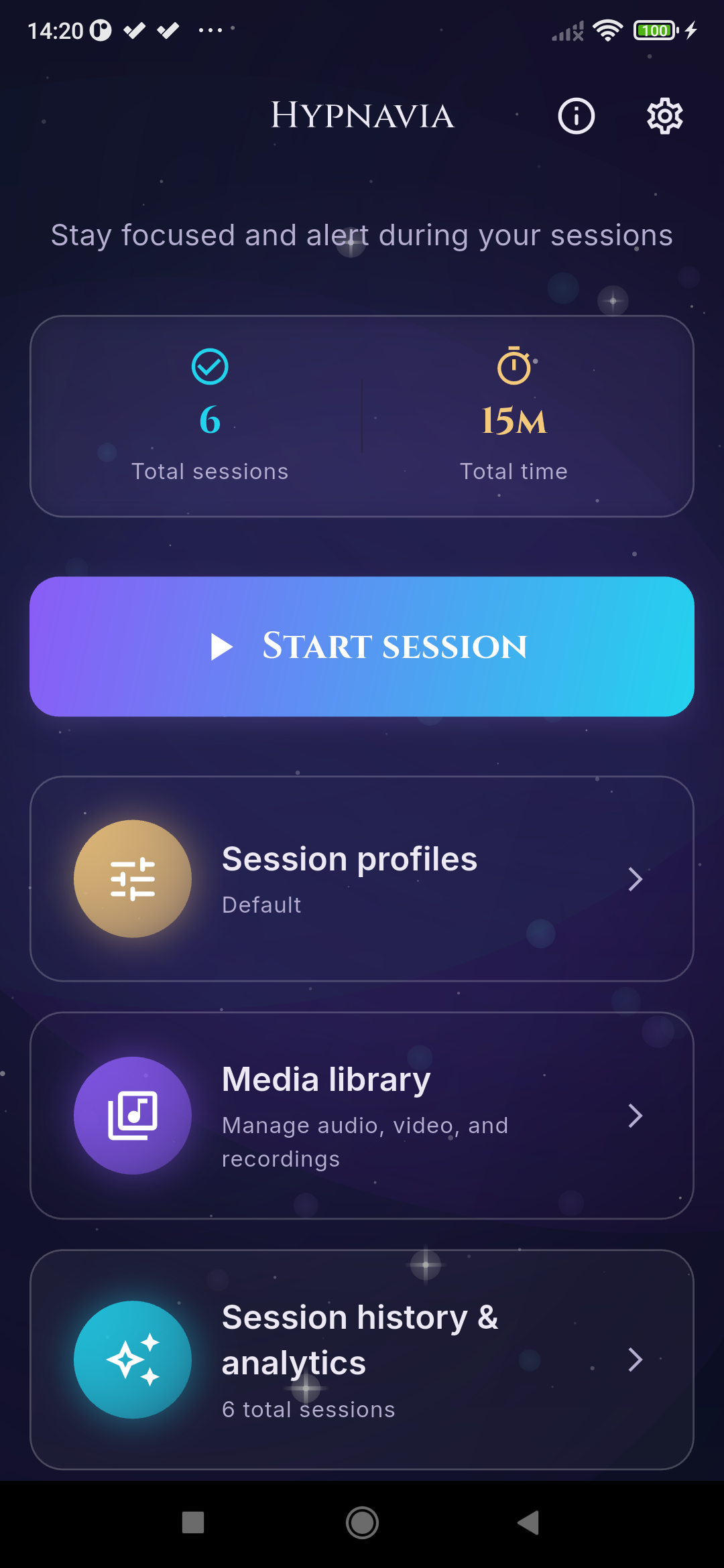
See duration, taps, alarms and pauses afterwards. Add a note or listen to a recording if you enabled one.
02 / INSIDE HYPNAVIA
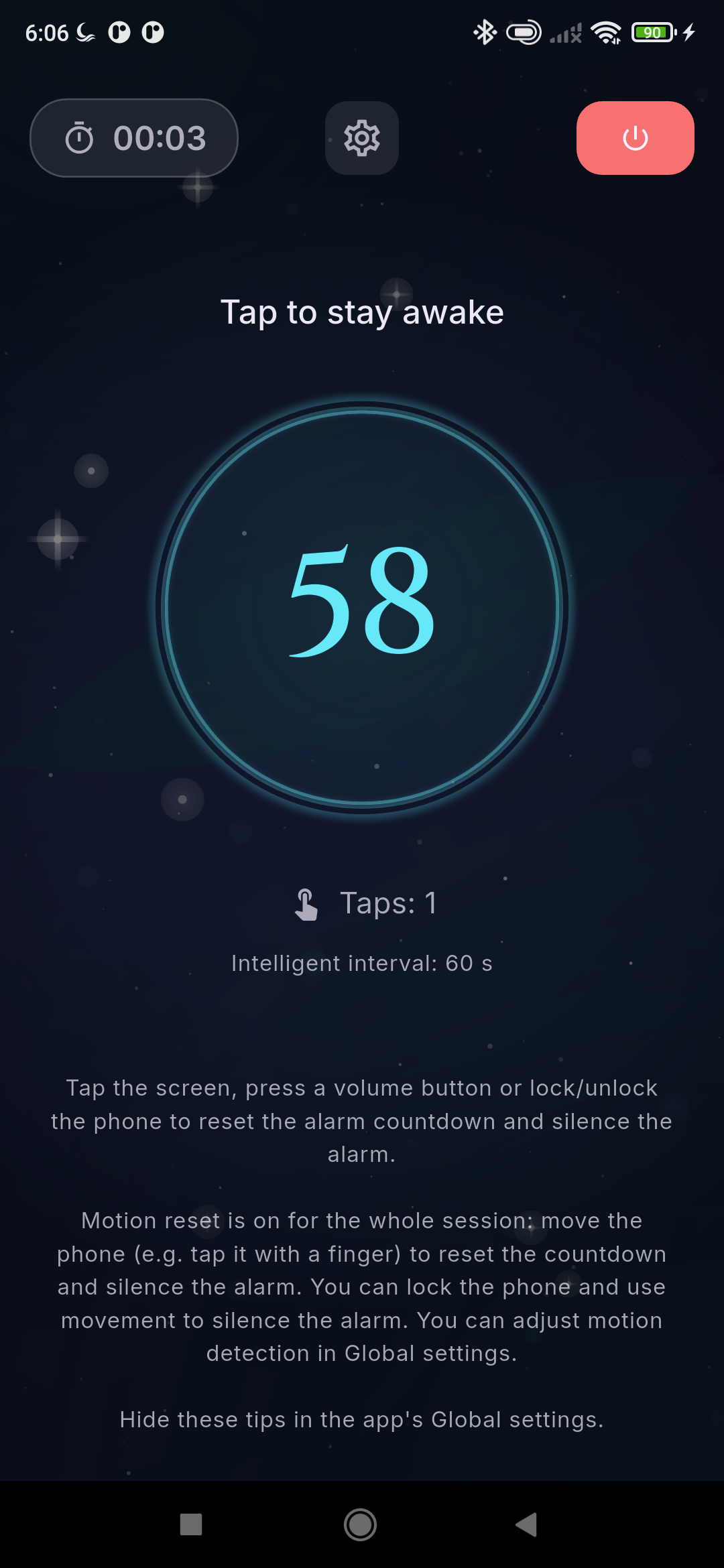
DURING A SESSION
The countdown, tap count and current interval share one screen. You can also enable hardware controls supported by your device.
Actual screenshots from Android test builds. Screens show the English interface and test data.
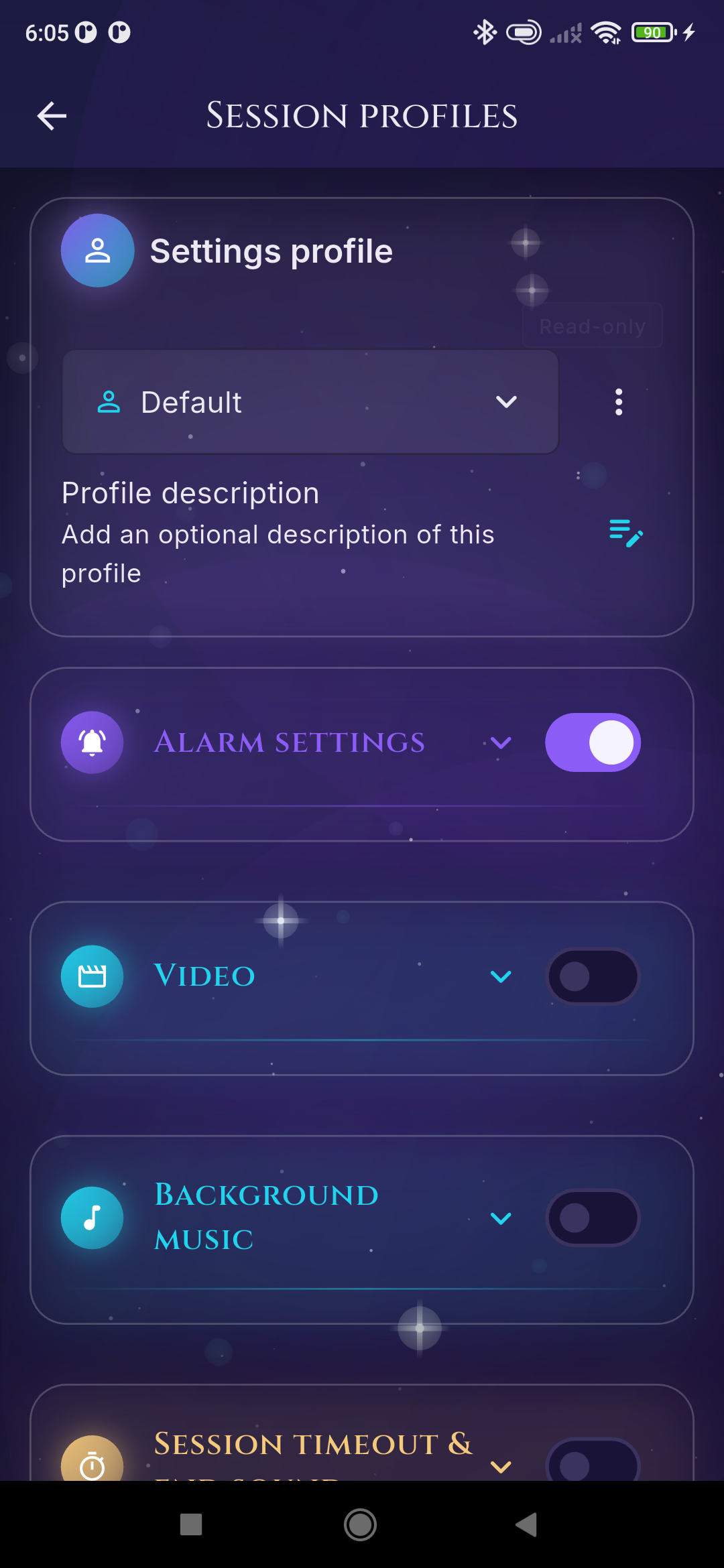
BEFORE A SESSION
Your profile stores alarm, music, video and session-end settings. Switch profiles instead of setting everything up again.
Actual screenshots from Android test builds. Screens show the English interface and test data.
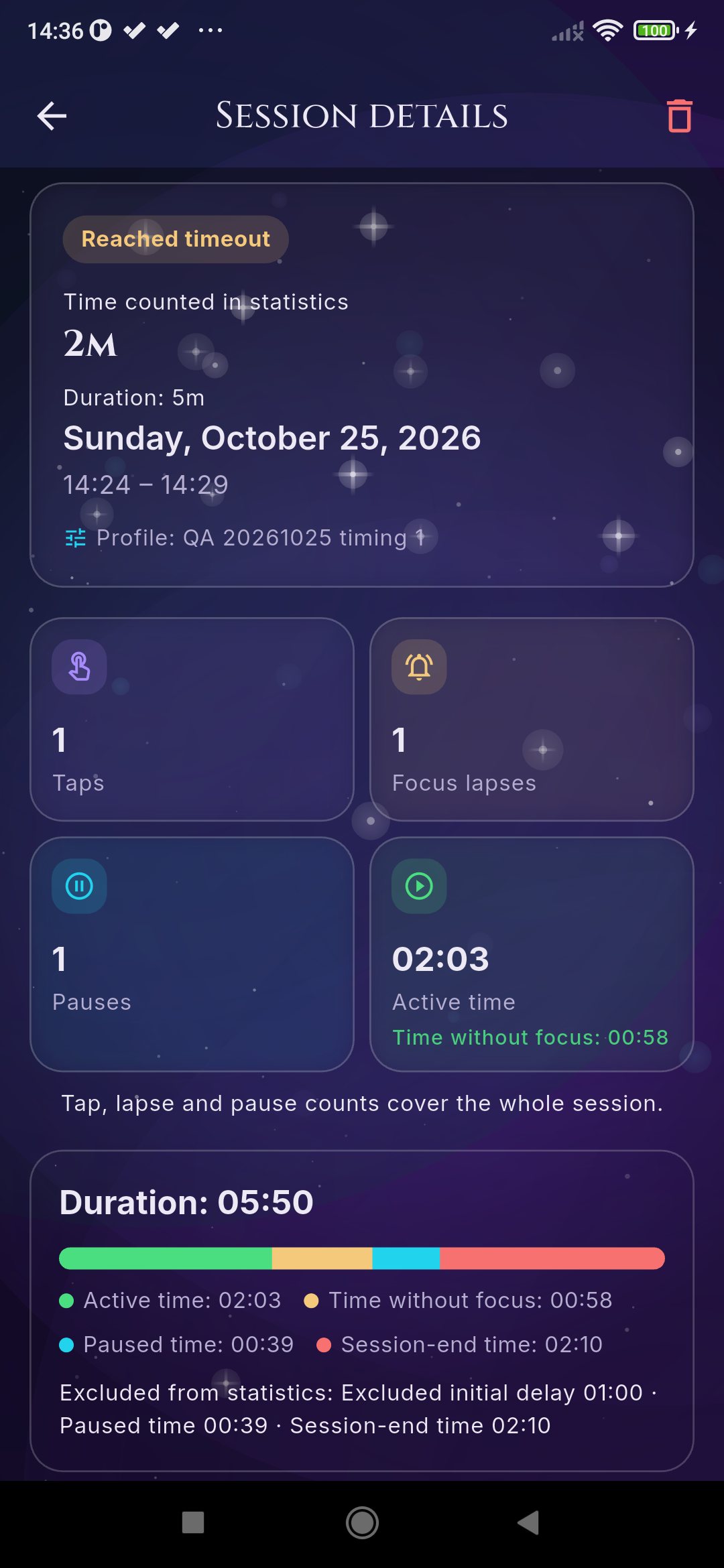
AFTER A SESSION
Session details show active time, pauses and periods without a response. History and charts let you compare sessions over a selected period.
Actual screenshots from Android test builds. Screens show the English interface and test data.
MORE THAN A COUNTDOWN
Can adjust the time between cues based on your responses. Prefer a fixed rhythm? Turn it off and choose your own value.
Import local files. Choose background music, a video and an alarm sound separately. No streaming service required.
Enable the microphone to keep your spoken thoughts. The app also creates a version with silence removed, processed on your device.
Export selected data or create a backup. Password encryption is enabled by default for backups.
03 / PRIVATE BY DESIGN
No account. No advertising. No in-app telemetry. The native app keeps your sessions, notes and recordings on your device.
You choose what to export and where it goes. A cloud folder or file provider you select operates under its own privacy terms.
Read the privacy policy04 / MEET THE CREATORS
Hypnavia was created by Marcin Białecki in collaboration with Adam Bytof.

App creator · Code of Dream
A programmer and the founder of Code of Dream. He combines software development with an interest in lucid dreaming, meditation and the transition between wakefulness and sleep. He is responsible for building and developing Hypnavia.

Hypnavia collaborator
Author of “Oneironautyka – Sztuka Świadomego Snu”, creator of guided meditations and workshop facilitator. He has spent many years exploring lucid dreaming, meditation and hypnagogia. Visit his website to learn more about these practices, or browse his recordings in the shop.
A FEW THINGS TO KNOW
Hypnagogia is the transition between wakefulness and sleep. Hypnavia offers configurable session cues and a place for your reflections as you explore these moments. It does not detect sleep stages or guarantee a particular state.
Choose an interval and start a session. A tap acknowledges your awareness and resets the interval. If you stop responding, the configured alarm can gradually increase in volume. Sound, timing and optional controls can be personalised in the app.
Only when you use the optional microphone-recording feature and grant permission. Automatic recording at session start is off by default. Recordings are processed locally; there is no cloud transcription. This website does not access your microphone.
The initial release is planned to be free. Some optional Premium features may be offered through a paid subscription later. No Premium subscription is currently offered on this website.
Hypnavia is being prepared for Android and iOS. Store links will appear here when it is available. A release date has not been announced.
No. Hypnavia is a personal meditation and reflection tool, not a medical device, treatment or safety alarm. Use it in a safe setting, never while driving or operating machinery. Light effects are optional; avoid them if you are sensitive to flashing light.
ANDROID AND IOS
The first release will be free and for adults. Store links will appear here when the app launches.